Front counter
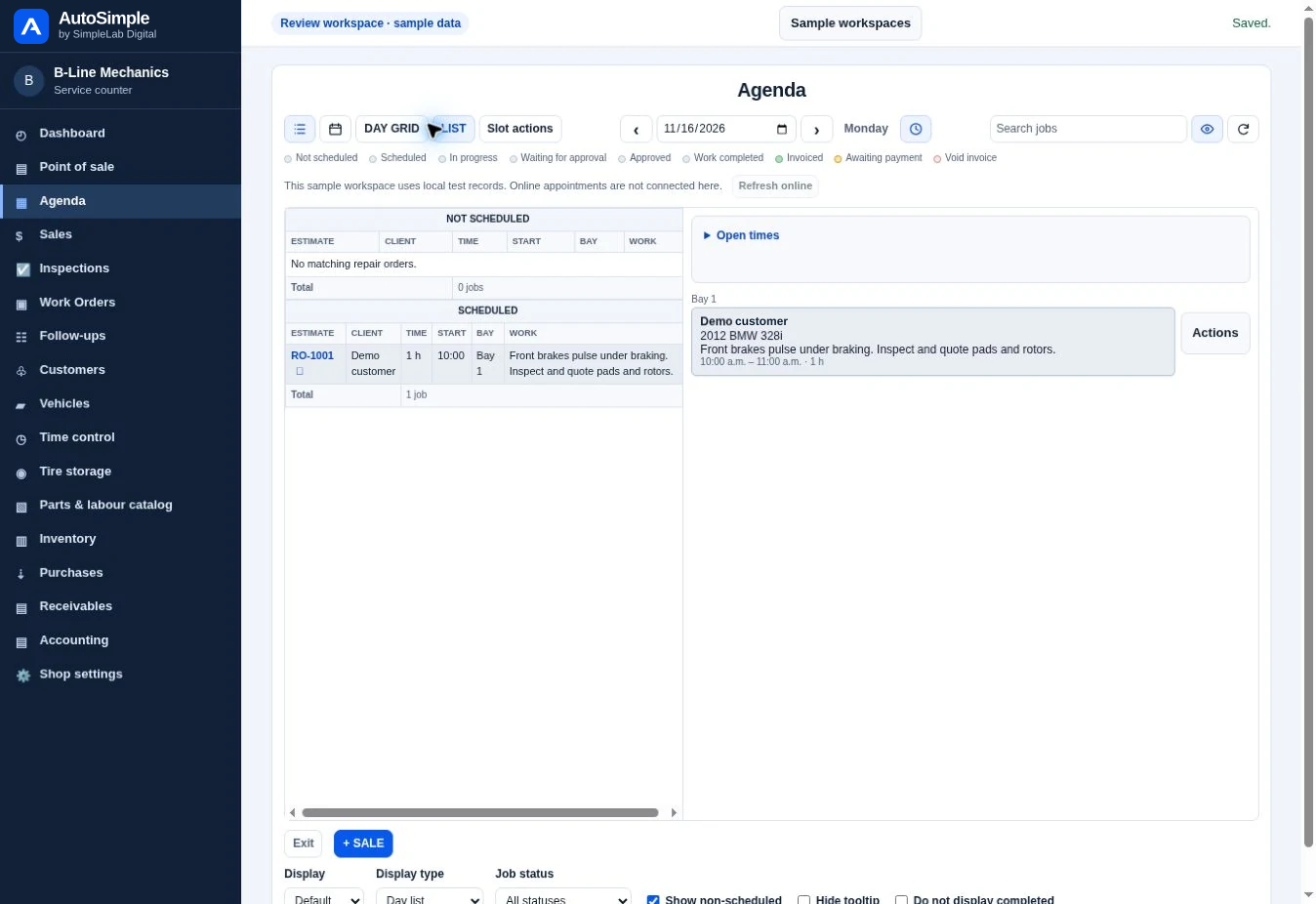
Run the day from your agenda.
Move a repair between times and bays, or hold it at the edge to move it to the next day. AutoSimple checks hours and bay conflicts while keeping the customer’s promised arrival on file.
Shop management software for Canadian auto repair shops
Let customers book from your own website. Give your team one place for estimates, parts, inspections and invoices. Follow up automatically when it’s time for the next visit.
Card required · $0 due today · Then $197 CAD/month
A note from the founder
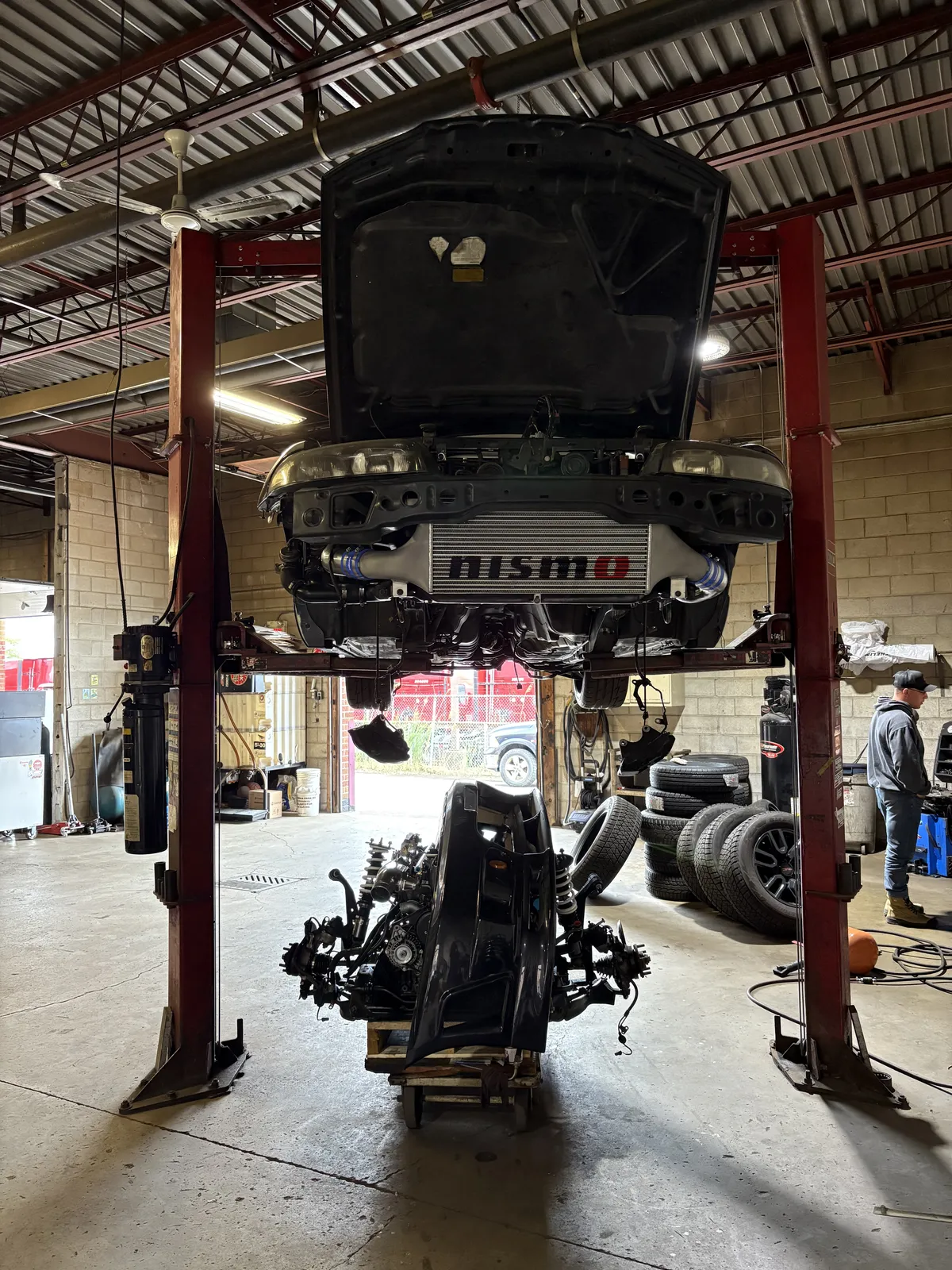
I co-own B-Line Mechanics. A typical morning has the phone ringing, an advisor pricing a brake job, and a technician waiting to see what’s next. Our website lived in one place. The schedule and repair orders lived somewhere else. Getting a customer back for service meant remembering to follow up.
We took the best ideas we’d used in shop software and rebuilt the handoffs around how our team actually works. A booking should reach the counter with the right details. The technician should see what was quoted. The next service reminder should already be on its way.
See the software in action
Follow one brake repair from the day-by-bay agenda through the estimate, technician handoff, customer approval, payment and job margin. See how website bookings and reminders bring the customer back. The final chapters show cross-day scheduling, labour estimates and the vehicle history customers can open on their phone.
The shop operating system
The calendar, customer, vehicle and repair order stay connected from the first booking through the final invoice. Each person picks up where the last one left off.
Front counter
Move a repair between times and bays, or hold it at the edge to move it to the next day. AutoSimple checks hours and bay conflicts while keeping the customer’s promised arrival on file.
Service bay
Send a work order to a technician or foreman from the appointment. Quoted labour comes first. The technician can start a timer, document checks with photos or video, then submit the inspection for advisor review.
See the checklist, photos and customer text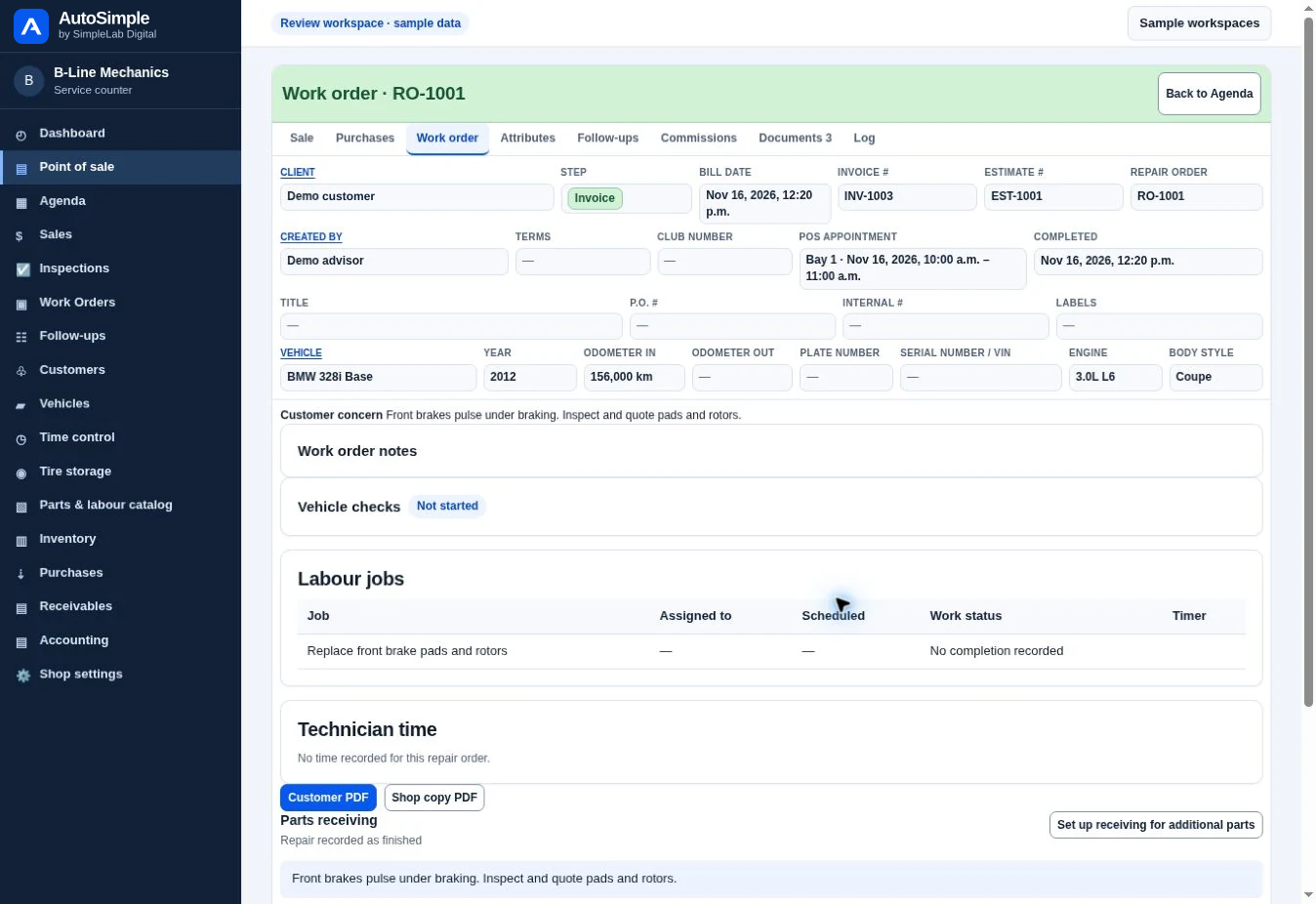
Connected tools
Open ALLDATA from the estimate with its VIN, choose the matching vehicle and return the labour hours to the sale. Import a supplier cart with part numbers, quantities and costs, then review your pricing matrix before you quote.
The Supplier Bar runs in desktop Chrome or Edge with your supplier subscriptions. Separate warehouse lines retain their quantities and costs. An interrupted transfer can resume on its original estimate.
Invoice and accounting
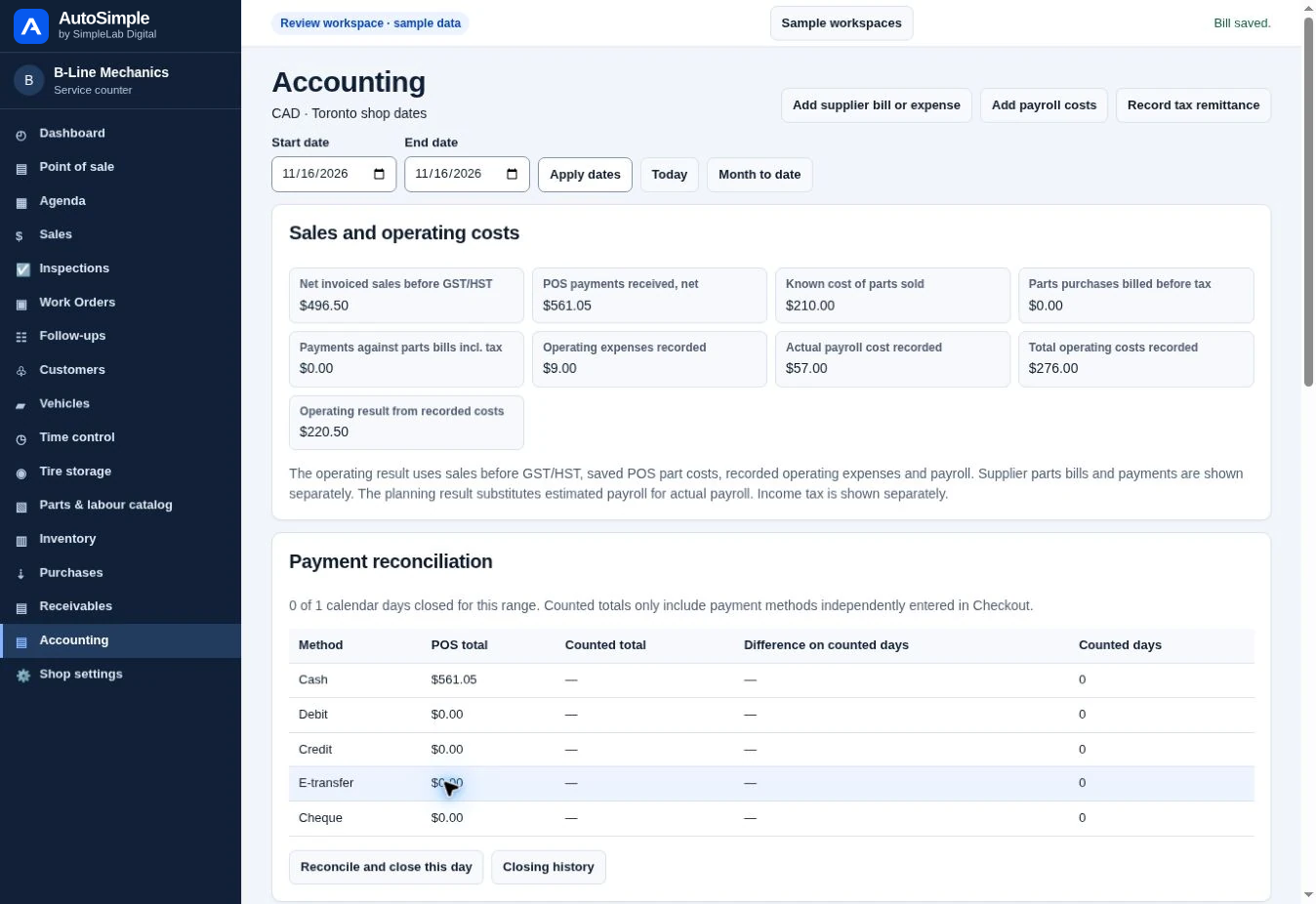
See parts margins while quoting. At close, owners can compare net invoiced sales with payments collected and deposits, review recorded costs and gross margin, and see approved work still to invoice. Missing costs are flagged.
Shop teams
The home screen gives each role its own shortcuts. Open the mobile workspace on its own, return to the work order from the bay, and keep owner accounting behind the owner’s access. Ask AutoSimple is available across staff screens, including open forms.
At the service counter · Ask AutoSimple
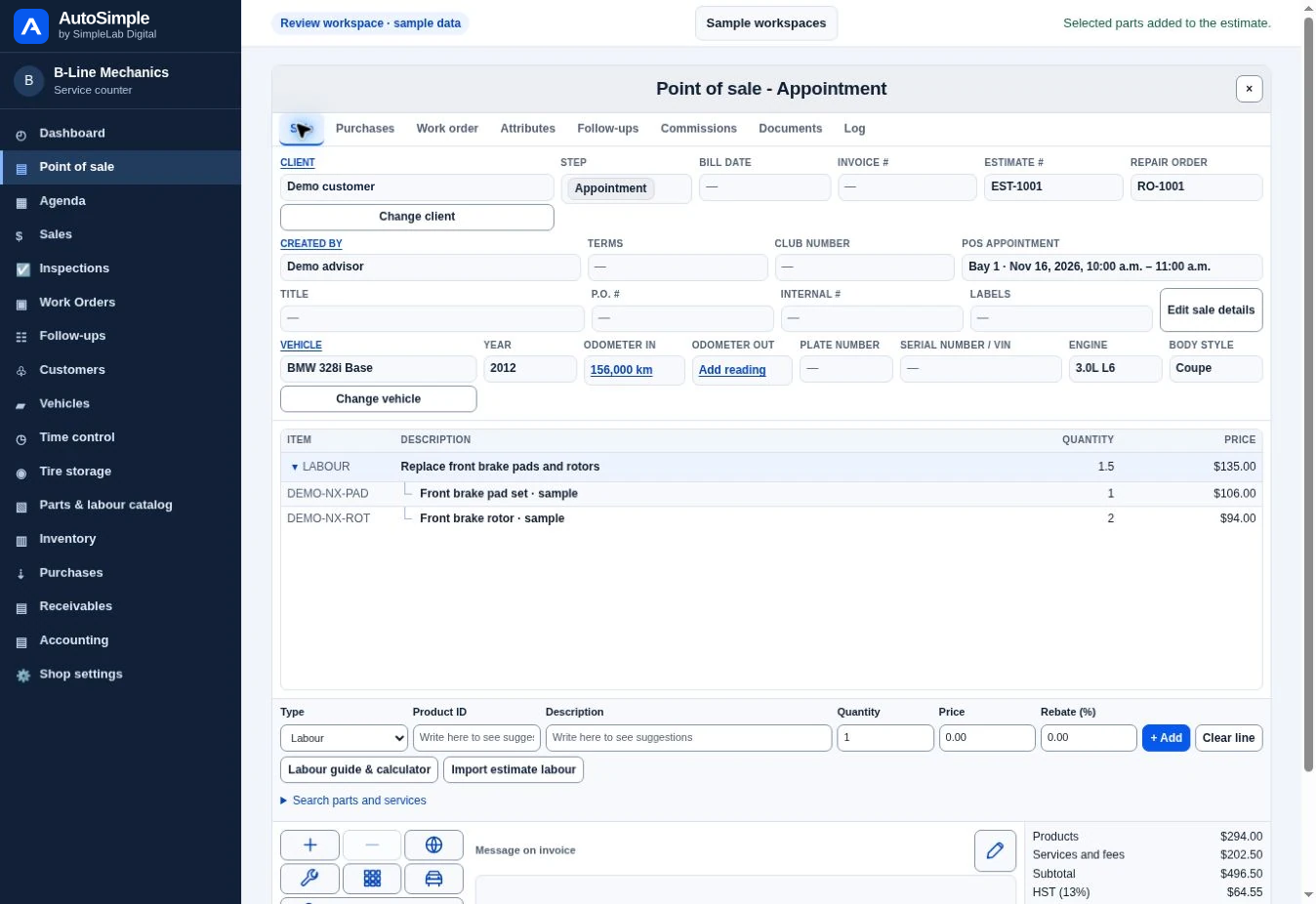
Give the customer a ballpark while the estimate is still open. Enter the repair and vehicle, or use the vehicle already on the sale. Ask AutoSimple shows where the hours came from and prices them at your shop rate.
Interactive point of sale
Build a brake estimate, document a service recommendation, and follow the approved work from the bay to the paid invoice and register close.
Sample repair with simulated parts, labour, customer messaging, cash and reconciliation.
See the inspection and what the customer getsWork orders · Digital inspections · POS
The technician documents the finding on the work order. The advisor can explain the next service with photos right from POS. The customer gets a link they can open on their phone.
Sample work order 2021 Honda Civic · Front brakes · RO-DEMO-1042
In the bay · Work order
Open Vehicle checks on the work order and choose a checklist. Mark what passed, what needs attention and what failed. Record measurements and notes against the item you checked.
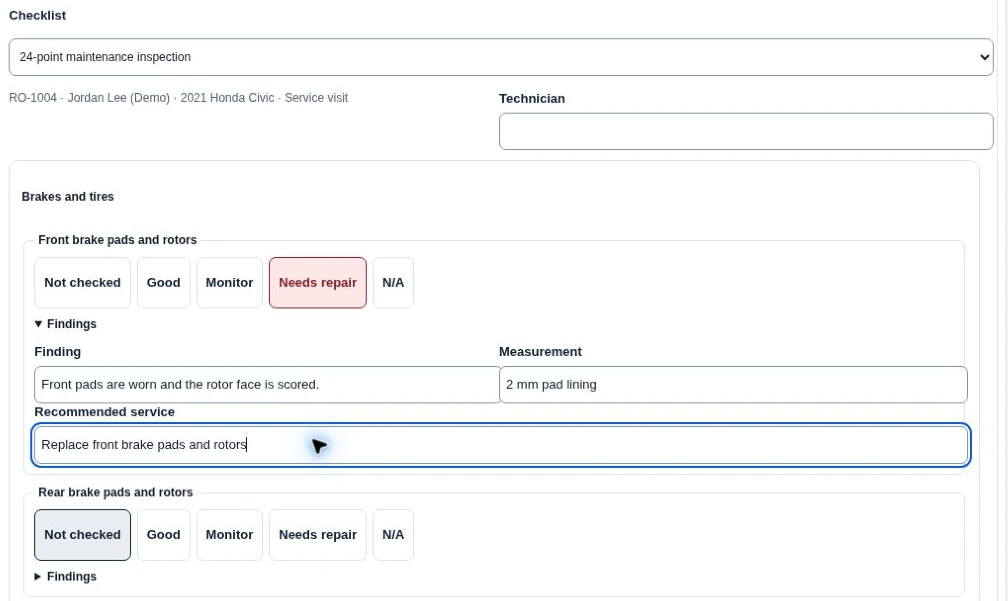
At the counter · POS
In POS, open the customer’s repair order and choose Suggest a service. Give the recommendation a title, explain what you found in plain language and attach up to three photos or short clips.
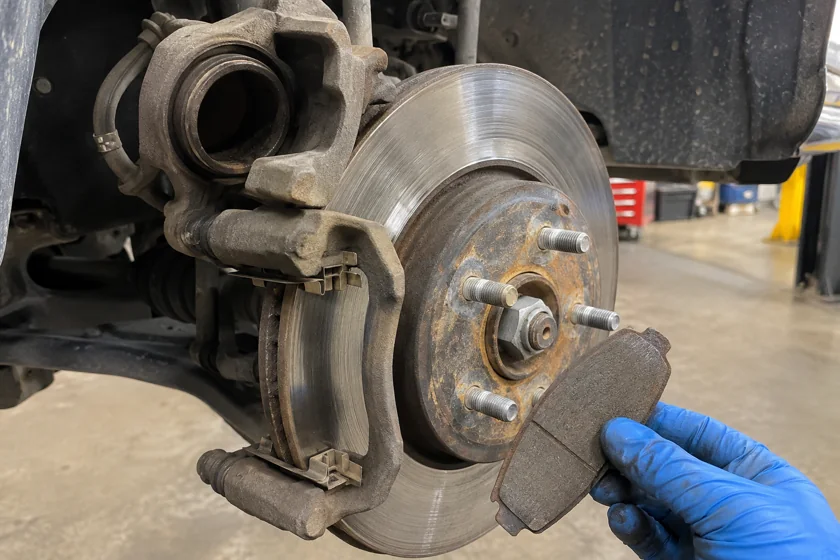
In the message · SMS
For a POS suggestion, AutoSimple prepares the link and message. The advisor can copy the draft into SimpleLab Conversations and send it to the customer.
We’ve prepared a service suggestion for your vehicle. Review it here:
garage.example/service-suggestion/demoReply to this message with any questions.
For a reviewed inspection, use Send to customer to preview and send by SMS or email when your shop’s messaging is connected. You can also copy the inspection link.
View your repair status and current total, with your vehicle checklist and available photos and videos:
garage.example/inspection-report/demo
On their phone · Customer link
The customer opens the recommendation in their browser. The service title, advisor’s note and photos or clips appear together. They can reply to the original message to discuss the work.
The service suggestion link lasts seven days and can be revoked by the shop.
The inspection link can show repair status, estimated total, checklist results and media. The shop can also include this customer’s vehicle history, matched invoice PDFs and maintenance. Try the customer’s vehicle portal ↗
The customer’s vehicle portal
Give the customer the answer on their phone. When you share an inspection, choose whether to include service history and maintenance for that customer and vehicle.
Website, booking and follow-up
Give your shop a website that brings work in, a schedule your customers can actually book, and follow-up that keeps working when the bays get busy.
Shop website
Online booking
Brake inspectionTuesday at 10:00 a.m.Appears in the shop agenda
Appointment and service texts
See the booking reach the shop agenda, the confirmation a customer gets, and the reminder the day before. B-Line follows up five months after completed service. A six-month follow-up can be set in a connected HighLevel workflow.
Managed marketing by SimpleLab Digital
Put the services you want to book in front of nearby customers. We manage the website, search and social campaigns that bring them to your online booking, so your team can focus on the work in the bays.
Software + Growth
$497 CAD / month
AutoSimple Shop Software, a custom website and hands-on marketing.
Discuss your marketingApplicable taxes and ad spend are separate.
We optimize your Google Business Profile and local SEO for Google Maps, and build service pages for Google’s organic results and AI search features. Paid Google Search campaigns focus on the services you want to book.
We run video and static conversion ads on Facebook and Instagram, sending customers to your website or a custom landing page. We also publish 3 videos and 3 posts every month for your shop.
Your custom website features your services and online booking connected to your shop agenda. A domain is included if you need one. We track campaign activity and connect bookings to AutoSimple’s confirmations and reminders.
Plans & pricing
Start with the software. Add a website or hands-on marketing based on what your shop needs.
$197CAD / month
Give your counter, technicians and owner one system for the day’s work.
$497CAD / month
Everything in Shop Software, plus a website and marketing managed by SimpleLab Digital.
Prices in CAD. Applicable taxes and ad spend are separate.
14 days free
Try Shop Software with your team. Bring a booking, build an estimate and see what the work order looks like in the bay.
Talk to SimpleLab
Tell us about your current software, suppliers, website and booking setup. We can walk through what would carry over to your shop.
Yes. Choose Shop Software. Add a custom website, advertising or social media management as your needs change.
Yes. We can review your current setup and connect online booking, or build a new site using a domain you already own.
We’ll look at what your current system can export, then confirm which records can be migrated and what the transfer would cost.
Bring your shop’s supplier accounts and ALLDATA subscription. We’ll confirm supported portals, the browser extension and location setup on the walkthrough.